AI Email Triage Automation with n8n: A Practical Business Guide
A practical framework for classifying, prioritising and routing business emails while keeping people safely in control.
Important customer requests, sales enquiries and operational alerts often arrive in the same inbox as newsletters, receipts and routine messages. When employees classify every email manually, response times become inconsistent and valuable work can be missed. AI email triage automation provides a practical way to organise that flow without replacing the email platform your team already uses.
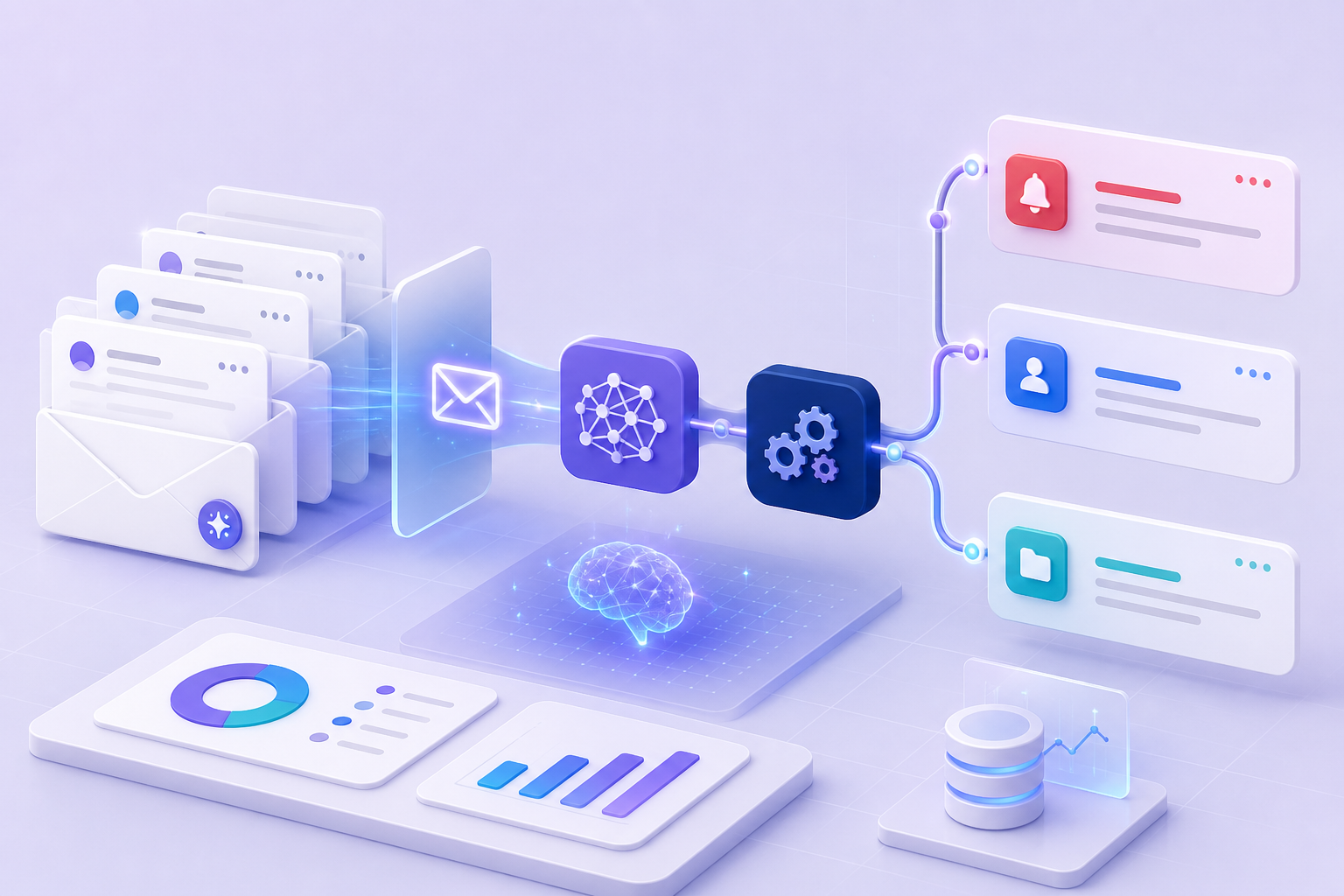
This guide explains how an n8n workflow can read an incoming message, identify its purpose, assign a priority, route it to the correct person and prepare a useful response. It also covers the controls required to keep the process dependable.
What Is AI Email Triage Automation?
An automated triage workflow connects to a shared mailbox or support address and evaluates each new message against defined business rules. Instead of treating every email equally, it creates a structured record containing:
- message category and business purpose;
- customer, prospect, supplier or internal sender;
- urgency and commercial importance;
- assigned owner or team;
- recommended next action;
- draft response and supporting context.
The goal is not to let an AI model control the inbox. It is to give the team a reliable first layer of organisation so people can focus on decisions and conversations that require human judgement.
Why Manual Email Triage Becomes Expensive
A busy inbox creates hidden costs. Employees repeatedly scan subject lines, forward messages, search for customer information and write similar acknowledgements. Important messages remain unanswered when ownership is unclear, while managers have little visibility into volumes, response times or recurring issues.
Traditional filters work when rules are predictable, such as routing messages from a known domain. They are less effective when intent is expressed naturally. A message saying “we cannot complete checkout after yesterday’s change” may be a critical incident even without the words “urgent” or “error.” AI-assisted classification adds context while deterministic workflow rules retain control.
How an n8n Email Triage Workflow Works
1. Capture the incoming email
The workflow starts when a new message reaches Microsoft 365, Gmail, an IMAP mailbox or a helpdesk integration. n8n collects the sender, recipients, subject, body, timestamp and permitted attachments. Signatures and quoted history can be removed before analysis to reduce noise and processing cost.
2. Apply predictable rules first
Known spam senders, automated receipts, out-of-office replies and monitoring alerts may already have fixed destinations. Using ordinary logic for predictable cases improves speed, lowers cost and makes the system easier to audit.
3. Classify intent and urgency
The remaining message is sent to a language model with a tightly defined schema. Rather than requesting an open-ended opinion, the model returns structured values such as category, priority, confidence and summary. Categories might include new sales enquiry, customer support, billing, supplier, recruitment and administration.
4. Add trusted business context
The workflow can look up the sender in a CRM, retrieve an account owner, check an active project or locate an existing ticket. This allows a short complaint from a strategic customer to receive the right priority without exposing unnecessary records to the model.
5. Route and notify
n8n applies the approved routing policy. It can add a mailbox label, create a CRM task, open a helpdesk ticket or notify the responsible person in Microsoft Teams or Slack. High-risk messages can trigger an immediate alert while routine enquiries remain in a normal queue.
6. Draft rather than automatically send
For many organisations, the safest first implementation prepares a reply but leaves final approval to a person. A draft can acknowledge the request, summarise the issue and ask for missing information. This reduces writing time while protecting tone, accuracy and customer relationships.
7. Record the result
Each decision should create a small audit record: message identifier, category, confidence, route, timestamps and human correction. These records help measure performance and improve the rules without retaining more message content than necessary.
A Practical Email Routing Model
| Message | Automated action | Human control |
|---|---|---|
| High-value sales enquiry | Create CRM lead and notify sales owner | Approve personalised response |
| Critical customer issue | Open priority ticket and alert support | Validate severity |
| Invoice query | Route to finance with account details | Review figures |
| Low-confidence result | Send to manual review queue | Choose category and owner |
Safeguards for Dependable Automation
Use a confidence threshold
A model should not be forced to make every decision. If confidence is below an agreed threshold, the message should go to a review queue. Human corrections can be used to refine categories and instructions.
Minimise data
Only information required for classification should be processed. Remove long histories, credentials, unnecessary attachments and sensitive fields. The design must follow the organisation’s privacy, security and retention requirements.
Keep high-impact actions behind approval
Payments, contractual commitments, account changes, refunds and sensitive support responses should not be triggered solely by model output. n8n can prepare the task while an authorised person confirms the action.
Design for failure
Email systems, APIs and AI services can be unavailable. A production workflow needs retries, error handling, duplicate protection and a manual fallback. Messages should never disappear because one integration failed.
Measure decisions
A successful workflow execution does not prove that the decision was useful. Track classification accuracy, reassignment rate, response time, missed priorities, processing cost and human corrections.
Where AI Email Triage Creates Value
Strong candidates are shared inboxes with recurring patterns and measurable delays: sales enquiries, customer support, property enquiries, recruitment, supplier communication, appointment requests and internal service desks.
A smaller business does not need enterprise-scale volume to benefit. If two or three people repeatedly check one inbox and manually forward messages, a focused workflow can establish ownership and reduce interruptions.
A Safer Implementation Plan
- Observe: review representative messages and identify real categories.
- Define: agree owners, priorities, escalation rules and approvals.
- Pilot: run in shadow mode without moving or replying to messages.
- Compare: test decisions against human classifications.
- Assist: enable labels, tasks and draft replies.
- Expand: automate more only after accuracy and value are demonstrated.
How Much Does AI Email Triage Cost?
Cost depends on mailbox volume, categories, integrations, attachment processing, security requirements and approval levels. A focused proof of concept is more cost-effective than attempting a complete inbox transformation immediately. Ongoing costs can include workflow hosting, model usage, monitoring and maintenance.
Fontomkeys scopes automation around a defined process and measurable outcome. Focused projects can start from US$500 when the required systems provide suitable integration access.
Questions to Ask Before Automating
- Which messages create the greatest delay or commercial risk?
- Who owns each category?
- Which decisions require approval?
- What information may be sent to external services?
- How will errors and low-confidence results be handled?
- Which metric will prove the workflow is successful?
Build a Focused Email Triage Workflow
Fontomkeys designs practical AI and n8n automation for organisations that want less manual work without losing operational control. We can map one shared inbox, build a controlled pilot and connect it with the systems your team already uses.
Explore our automation solutions or discuss your email automation project.
AI email triage automation questions
Can n8n automatically classify emails?
Yes. n8n can collect messages, send permitted content to a classification model, validate structured output and route the result through controlled rules.
Should AI send replies without review?
Not in every case. Draft-first automation is usually safer. Automatic replies may suit narrowly defined, low-risk acknowledgements after testing.
Can it work with an existing CRM?
Often, yes. The design depends on the CRM API and permissions. A lookup can identify the sender, owner or open opportunity before routing.
How long does implementation take?
A focused pilot can be completed faster than a multi-department rollout. Timing depends on integrations, category complexity, testing data and approval requirements.